Add Shelf to Chrome — freeView on GitHub
Moving from Arc?
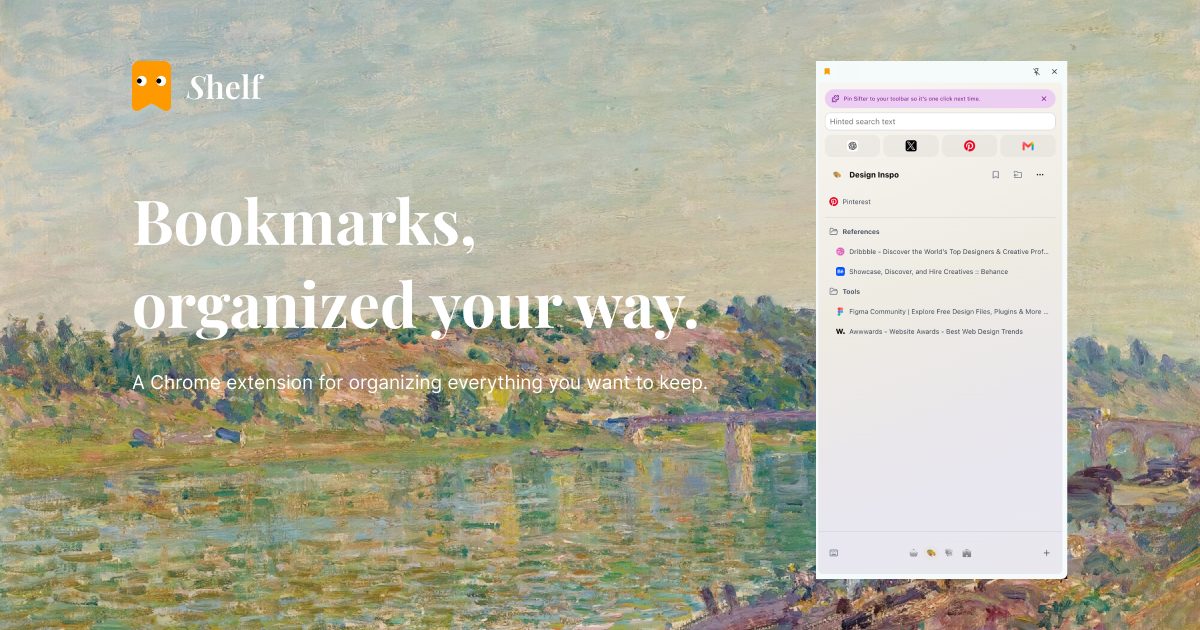
Arc stops working on December 22, 2026. If you relied on its sidebar for spaces and the sites you keep coming back to, Shelf gives you that layout in the Chrome you already use. It manages bookmarks, not open tabs.
To keep everything you pinned in Arc, export Arc's sidebar as Chrome bookmarks with our free tool.
What you get
- Spaces for work, research, side projects or travel, switched from the dock at the bottom of the panel.
- Favorites that stay visible at the top.
- Pinned links for what matters right now, without moving them out of their folders.
- Drag and drop across folders and spaces.
- Search across all your bookmarks.
Ctrl+Shift+K(⌘+Shift+Kon a Mac) opens Shelf straight into it. - Open a whole space as a tab group, in a new window, or in an incognito window.
Your bookmarks stay yours
Shelf has no account and no server. A space is a bookmark folder in your Bookmarks Bar whose name ends in (Shelf); pinned links and favorites are bookmarks too. They sync with your Google account like any other bookmark and stay in Chrome if you remove Shelf.
Made by Carrel
Shelf is a free tool from Carrel. Carrel saves what you read and keeps track of what you ask for as you save more. See how it works.